February 10th, 2026
Hooks, Browser Presets & smarter filters: testing just got a whole lot more powerful 🚀
This release is packed with features you've been waiting for. Automate repetitive setup and teardown with Hooks, test across any browser and screen size with Browser Presets, and filter your Realtime Status with surgical precision. Plus, all your agent types now get the same love with brand new detail pages.
🪝 New: Hooks — Automate Before & After Actions
Say goodbye to repetitive setup and cleanup steps scattered across your tests.

Hooks let you run step groups automatically at key moments:
Before a test: set up your environment, log in, prepare data
After a test: clean up, log out, reset state
Before each step: add consistent pre-conditions
After each step: capture screenshots, validate state
Define it once, reuse it everywhere. Your tests just got cleaner and more maintainable.
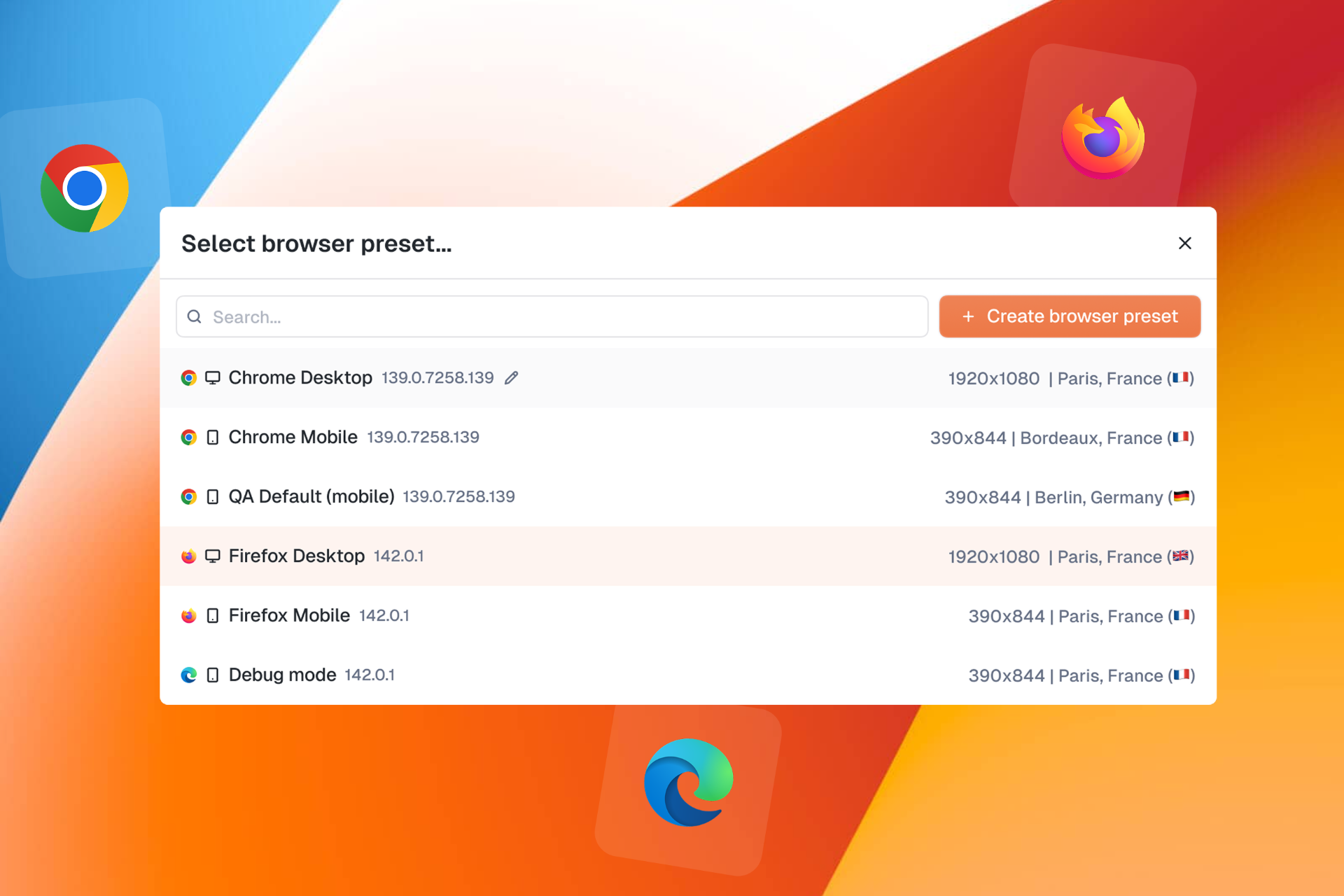
🌐 New: Browser Presets — One Test, Every Device
"How do I test my site on mobile?" You asked, we delivered.


Browser Presets let you configure and save browser configurations including:
Browser type: Chrome, Firefox, Edge, Safari...
Screen size & viewport: desktop, tablet, mobile
Timezone & locale: test like your users experience it
Custom headers: add authentication or custom parameters
Create a preset, select it in your test, and you're good to go.
🔍 New: Advanced Realtime Status Filters
Your monitoring just got smarter.

The new filter groups on Realtime Status let you build complex queries with OR / AND logic:
Group filters together
Choose how groups combine
Get exactly the view you need
Whether you're tracking specific products, zones, or test types, you're now in full control.
📱 New: Agent Details Pages for All Agent Types

Following our Web Agent redesign, Cellular, Passive, and Smartphone agents now have their own dedicated detail pages with a clean tabbed interface:
General: agent info and quick actions
Connected Devices: see all SIMs, smartphones, and devices at a glance
Monitors: all monitors running on this agent
Settings: configuration and management
A unified experience across all your agents.
⚠️ New: Device Issue Status in Monitors
When a monitor fails due to a device issue, you'll now see it clearly.

No more guessing whether it's your test or your hardware. The new device issue status makes troubleshooting straightforward.
✨ Improvements
Custom capabilities for everyone: Custom browser capabilities are now available to all users in web test settings
Faster filters: Improved performance on Realtime Status filter operations
Product visibility: Product name now displays on Realtime Status in display mode
Smoother forms: Web test creation forms performance improvements
Tighter permissions: Agent settings actions (Auto Updates, Delete, Reset Password) now restricted to Super Admins with clear tooltips
Teams webhook proxy support: Microsoft Teams webhooks now support proxy and insecure skip verify options
🐛 Fixes
Fixed crash on old alert format
Executions now display start date instead of created date
Fixed alignment issues in browser preset modal
Fixed execution list not showing date for queued tests
Fixed inability to add headers when editing browser presets
Removed duplicate and deprecated timezone options
Fixed bulk monitor device edition
Fixed StepDetails panel closing unexpectedly when changing step type
Fixed monitors page crash during data loading
Fixed web edition losing data when editing steps
Fixed tags disappearing when saving unmodified tests
Fixed missing French translations for SIM slot reboot
Fixed login and password reset pages incorrectly requiring authentication
Fixed missing scheduling tooltip translation on Realtime Status
Fixed broken SIM links in Cellular Agent Connected Devices tab